
How to Build a Digital Archive: A Complete Guide
LAST UPDATED: April 2026
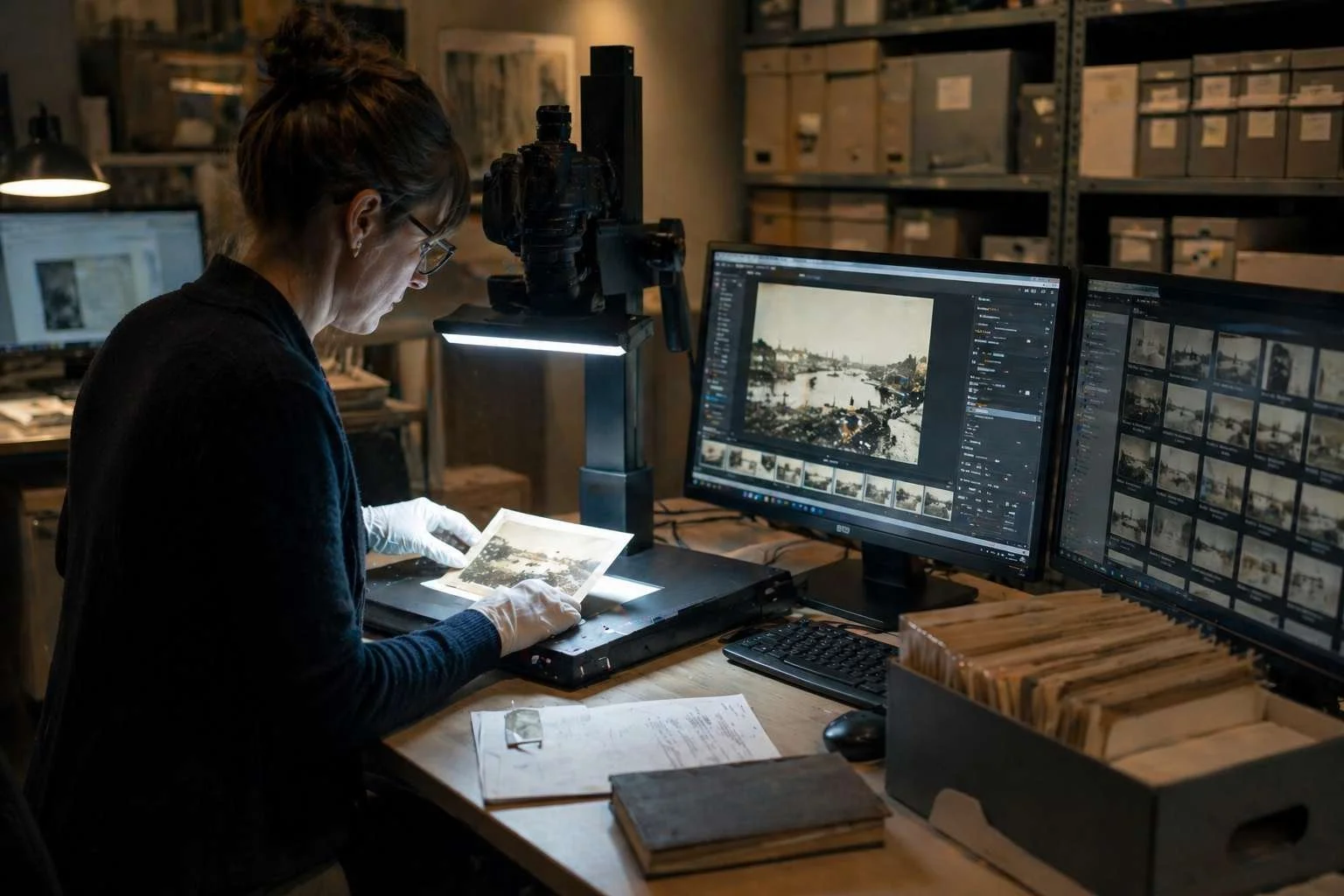
Every community, organisation, and institution has a history worth keeping. But right now, that history is probably scattered across filing cabinets, donated shoeboxes, Facebook groups, fading photographs, and the fading memories of the people who lived it.
A digital archive ensures your history is preserved.
This guide covers everything you need to know: what a digital archive actually is, why your organisation needs one, how to plan and build it, how to bring your community with you, and how to choose the right platform for the long haul. Whether you're a local library just starting to think about digitisation, a heritage organisation with decades of uncatalogued material, or a community history group trying to capture living memories before they're lost, this guide is for you.
What Is a Digital Archive?
A digital archive is an organised, searchable, online collection of historical materials (photographs, documents, audio recordings, video, oral histories, and other records) preserved in digital form and made accessible to the people who care about them.
That's a dry definition for something that is, in practice, deeply human. A digital archive is where a grandmother finds a photograph of her mother as a young woman. It's where a researcher discovers a first-hand account that changes their understanding of a local event. It's where a school group hears voices from a century ago and suddenly feels connected to the place they live.
But it's also infrastructure. A well-built digital archive protects material that would otherwise deteriorate, become inaccessible, or simply disappear. It creates a permanent, cared-for home for things that currently live in formats and locations that won't survive indefinitely.
Digital Archives vs. Simple Storage
It's worth drawing a clear distinction here. A digital archive is not a folder of scanned files on a hard drive. It's not a collection of photos on Google Drive, or a Facebook group where members share old pictures.
Those approaches have real value, but they're not archives. The difference lies in three things:
Organisation and searchability. An archive is catalogued, tagged, and structured so that people can actually find what they're looking for. Raw file storage isn't.
Preservation standards. A digital archive uses formats, backup practices, and metadata standards designed to keep material accessible for the future.
Access and engagement. An archive is designed to be used by researchers, by community members and by future generations. It's built with users in mind, not just as a repository for those who created it.
Why Does Your Organisation Need a Digital Archive?
The Materials You Hold Are Irreplaceable
Physical photographs degrade. Newspaper clippings yellow and crumble. VHS tapes deteriorate at a predictable rate. Even relatively recent materials like CDs, early digital files or printed emails, are already becoming difficult to access as technology moves on.
If your organisation holds historical materials, the question isn't whether they need to be preserved digitally. They do. The question is when, and how.
Every year of delay is a year of continued deterioration. Some losses are recoverable; many aren't.
Local and Community History Is Disappearing Online
There's a particular urgency around community history right now. Over the past two decades, an enormous amount of shared memory has migrated onto social media, and social media was never designed to be an archive.
Platforms change their policies, restructure their features, sunset products, or simply close down. Content disappears without warning. Early Facebook posts from the 2000s are largely gone. Even recent material is increasingly hard to find as algorithms prioritise new content over old. The context (the comments, the conversations, the connections between people) is even more fragile than the images themselves.
When Facebook Isn't Forever: Why Local History Needs a Home You Control explores this problem in depth. The short version: if your community's history lives primarily on social media, it is at risk in ways that most people don't fully appreciate until something disappears.
A digital archive gives your community a home you control, one that isn't subject to platform decisions, algorithm changes, or the commercial priorities of a technology company.
Funders Expect It
If your organisation applies for heritage funding, grants, or community development awards, a credible digital preservation strategy is increasingly a requirement.
Funders want to see evidence that the work they support will last. They want to know who is involved, how communities are engaged, and what legacy the project will leave. A digital archive, properly documented, speaks directly to all those requirements.
What Funders Want to See From Archives, Libraries and Museums covers this in detail, including how to demonstrate meaningful community engagement and measurable impact in your funding applications.
Your Community Wants to Participate
One of the things that surprises many organisations when they launch a digital archive is how much appetite exists in their community to contribute. People have photographs in attics. They have stories they've never had anywhere to share. They know who the faces in old photographs are. They remember events that left no other record.
A well-run digital archive creates a channel for all of that. It turns passive community members into active contributors. It creates connections between people who discover shared history. And it produces a living collection that continues to grow long after the initial digitisation project is complete.
Understanding What You Have: The First Step
Before you can build a digital archive, you need a clear picture of what you're working with. This is the audit phase, and it's worth doing comprehensively.
Taking Stock of Your Physical Collection
Start with a systematic survey of your physical holdings. This doesn't need to be a full cataloguing exercise at this stage; you're looking for a working inventory that captures:
What material exists (photographs, documents, objects, audio/video)
Approximate quantities and date ranges
Current condition and storage conditions
Who currently holds or has access to the material
Any existing documentation, cataloguing, or finding aids
Be honest about condition. Faded photographs, water-damaged documents, and deteriorating audio-visual material should be flagged as priorities. These are the items where digitisation has the most urgency.
Identifying Distributed Holdings
Most organisations underestimate how dispersed their collections are. Material may be held by:
Staff and volunteers who took it home "temporarily" years ago
Former committee members or chairs whose families still hold relevant materials
Local residents who contributed items but didn't formally donate them
Partner organisations, libraries, or archives that hold related material
Online collections such as local history Facebook groups or family history websites
A community call-out at this stage, asking people what they hold that might be helpful and often produces surprising results. It also begins the process of community engagement before the archive is even built, which pays dividends later.
Understanding Copyright and Permissions
This is the area many organisations underestimate. Before you digitise and publish anything, you need to understand who holds copyright in the material and what permissions you have to use it.
Key principles to understand
Copyright persists for a long time. In most jurisdictions, copyright in photographs lasts for 70 years after the death of the creator. For most historical collections, this means a significant portion of material is still in copyright. The UK Intellectual Property Office's copyright notice on digital images and photographs is a clear, accessible guide to how this works in practice.
Physical ownership is not copyright ownership. If someone donates a photograph to your collection, they are giving you the physical object (or a copy). Unless they are the photographer (or hold copyright through another route) they are not giving you the right to publish it digitally.
Unknown copyright holders require a reasonable search. Many organisations work with an "orphan works" framework, documenting reasonable efforts to identify and locate copyright holders where this isn't possible. In the UK, the Intellectual Property Office's orphan works licensing scheme provides a legal route to publishing material where the rights holder cannot be traced after a diligent search. In the US, no equivalent federal licensing scheme currently exists. Congress has considered orphan works legislation several times without passing it, and the US Copyright Office's orphan works page reflects a position that has remained largely unchanged since its 2015 report. US libraries, archives, and memory institutions instead rely on a documented good-faith diligent search combined with fair use principles when navigating this area.
Getting permissions right at the start is much easier than discovering problems after publication. Consider creating a simple permissions and rights management process before digitisation begins and build it into your contributor agreements from day one.
Planning Your Digital Archive Project
Define Your Scope and Purpose
A digital archive project without clear scope tends to expand indefinitely, lose momentum, and never launch. Before you begin, define:
What are you preserving?
A specific collection? Everything the organisation holds? Materials from a defined geographic area or time period?Who it is for?
Researchers? Community members? Schools? General public? Your answer here shapes decisions about access, interface design, and how you describe and tag your materials.
What success looks like?
Is it a certain number of items digitised? A certain level of community contribution? Use in education? Recognition in a grant application? Having a clear definition of success helps you plan, make decisions, and measure progress.
Build Your Team
Digital archive projects need a range of skills. Depending on your organisation, you may need to bring people in or develop capacity:
Project management - someone who will keep the project moving, coordinate contributors, and report on progress
Digitisation skills - either in-house capability or access to digitisation services for specialist formats
Cataloguing and description - the people who will write meaningful, searchable descriptions of your items
Community engagement - building relationships with contributors and encouraging ongoing participation
Technical management - overseeing the platform, managing uploads, and handling technical issues
Volunteers can make an enormous contribution to all these areas. Some of the most successful digital archive projects are built almost entirely on volunteer effort, with a small amount of professional or staff time providing coordination and quality oversight.
Set a Realistic Timeline
A common mistake is to treat the digitisation phase as the whole project, with everything else to follow. In practice, the phases overlap and each one takes longer than expected.
A realistic project timeline typically includes:
Planning and scoping (1–3 months): audit, team building, platform selection, permissions framework
Pilot digitisation (1–2 months): digitise a defined first tranche of material, test your processes, and launch a working version of the archive before everything is complete
Main digitisation phase (ongoing): systematic work through your priority materials
Community contribution (ongoing from launch): building the channels and relationships that bring community material in
Ongoing curation and development (indefinite): an archive that stops growing stops being useful
Launching with a pilot rather than waiting for completion is important. A live archive, even a small one, builds momentum, demonstrates value to funders and stakeholders, and begins generating community contributions.
Digitisation: Getting the Practicalities Right
Equipment and Quality Standards
The right digitisation approach depends on what you're digitising. The National Archives' digitisation guidance provides authoritative technical standards that many heritage organisations use as their benchmark. Some general principles:
Photographs: For most archival purposes, scan at a minimum of 600dpi. For items that may need to be reproduced at large scale, or where fine detail matters, 1200dpi or higher is appropriate. Flatbed scanners produce good results for most photographic prints. Large-format or unusual items may require specialist equipment or services.
Documents:
300–400dpi is typically sufficient for text documents. If documents contain fine illustrations, maps, or mixed text and image content, treat them as photographs and scan at higher resolution. Oversized material:
Maps, architectural drawings, and large-format photographs are frequently underserved in digitisation projects because they don't fit standard scanning equipment. Specialist services exist; budget for them if your collection includes this material.Audio and video:
Deteriorating tape formats (VHS, Betamax, U-matic, reel-to-reel audio) require specialist equipment to play back before digitisation. This is often one of the costliest parts of a digitisation project and frequently the most urgent in terms of preservation need.File formats:
TIFF is the archival standard for images. It's uncompressed, widely supported, and will remain accessible. Keep master TIFFs and create derivative JPEGs for web display. For audio, WAV for masters; MP3 for access copies. For video, formats and standards are more complex, seek specialist advice for significant video collections. The National Archives publishes detailed guidance on file formats for long-term preservation which is a useful reference point when setting your own standards.
Metadata: The Thing That Makes It Searchable
The difference between a useful archive and an unusable one is often metadata. Metadata is the information you record about each item — what it shows, when it was created, where, by whom, and any other relevant context.
Good metadata makes items findable. It means that a search for "Victoria Street 1950s" returns the relevant photographs, not just items that happen to have "Victoria" in their title. It means that items can be browsed by date, location, subject, or person. It means that items your community finds valuable can be found.
Invest in developing a metadata schema, a consistent set of fields and controlled vocabularies, before you begin cataloguing at scale. The Community Archives and Heritage Group's cataloguing guidelines offer a practical, non-archivist-friendly approach that aligns with professional standards, a useful starting point for any community-facing project. Common fields include:
Title (descriptive, not a file number)
Date (as precise as possible, noting uncertainty where it exists)
Description (what the item shows, in enough detail to be useful to someone who hasn't seen it)
Creator (photographer, author, maker)
People depicted
Location
Subject tags
Format and physical description
Rights and permissions status
Provenance (how the item came into the collection)
Community contribution is one of your most powerful tools for improving metadata quality. Photographs that staff cannot identify are often immediately recognisable to community members, and the identification of people and places in historical photographs is one of the most engaging activities an archive can offer.
Engaging Your Community
A digital archive that sits on a server, professionally catalogued but never discovered, has failed in its purpose. The most important work in any archive project is building and sustaining the community it represents.
Start With Your Existing Networks
Your organisation already has relationships with members, supporters, volunteers, local media, schools, and partner organisations. These are your first audience and your first contributors.
A launch event (even a small one) creates a moment of visibility. An article in a local newsletter, a post in a local Facebook group, or a mention in your existing communications can reach people who hold exactly the material you're looking for.
Create Easy On-Ramps for Contribution
Not everyone who wants to contribute knows how to digitise photographs, write metadata, or navigate an archive interface. Make contribution as simple as possible:
Clear guidance on how to contribute, in plain language
Mobile-friendly options wherever possible (many contributors will be working from smartphones)
Drop-in events or digitisation days where people can bring physical items and have them scanned on the spot
A clear process for responding to contributions, so contributors feel their effort is valued
5 Easy Ways to Capture Oral Histories in Your Community covers practical approaches to one of the most valuable forms of contribution, the recording of living memory. No specialist equipment is required, and the results are often among the most used items in a community archive.
Oral History: The Most Urgent Priority
Oral histories deserve special mention because of their urgency. Whilst photographs can be digitised at any point. The people who can contextualise them, identify the faces, explain the stories, and place them in their community context will not be available for ever.
Many community archives have found that a simple, structured oral history programme (recording conversations with community members about their memories and experiences) produces material that becomes some of the most valued content in the collection. It also generates the contextual knowledge needed to properly describe and connect the photographic and documentary record.
The window for capturing living memory from people who remember events from the mid-twentieth century and earlier is closing. If your community archive project achieves one thing beyond digitising existing collections, make it the recording of oral histories.
Using Community Anniversaries and Events
Major milestones — the centenary of a local building, a community's anniversary, a significant local event — create natural moments of engagement that you can use to generate both content and community participation.
Community Anniversaries: Creative Ways to Collect, Share and Preserve Local History explores how these moments can be used to build lasting archive collections rather than producing one-off events that leave nothing behind. Two organisations currently doing exactly this illustrate how varied that can look in practice.
In the UK, Thrive, a Somerset community charity marking its centenary in 2026, is using YourArchive to digitise a hundred years of its history, collect community submissions for a poetry and writing competition, and capture memories and messages to the future through Spoken Stories as part of a digital time capsule. The result is an anniversary programme that goes far beyond marking a date: it captures a century of impact. The communities supported, the stories behind their work, and the voices of the people at the heart of it all.
For US-based libraries and local history organisations, the America 250 Semiquincentennial celebrations in 2026 represent a particular opportunity. 5 Meaningful Ways to Celebrate America 250 in Your Community covers how local archives can connect their work to this national moment. The Jackson-George Regional Library System in Mississippi is using America 250 funding to build its digital archive with YourArchive, digitising its local history collections and opening them up to community contribution for the first time.
As part of the America250 Legacy Grant provided by the Mississippi Humanities Council, the Singing River Genealogy and Local History Library selected YourArchive as the digital platform to display its archival collections. Currently we are focusing on the history of Jackson and George Counties in Mississippi. We have acquired and digitised oral histories and local television programmes. We will expand these collections to include historical family collections and artefacts from local organisations to increase access. Many historical documents and artefacts in South Mississippi have fallen victim to fires, hurricanes, and tornadoes. In an area that is so prone to natural disaster, it is imperative that we do our part to preserve what we have for posterity."
Photograph Identification as Community Engagement
Unidentified photographs are one of the most common challenges in community archives, and one of the most valuable opportunities for engagement.
When you publish a photograph that shows people or places you cannot identify and invite your community to help, you create something that generates genuine participation: people have specific, actionable knowledge that they can contribute, and the act of contributing connects them to the archive and to each other.
How Community Archives Can Identify People in Historical Photographs covers the range of approaches available, from structured community identification projects to the growing range of digital tools, including facial recognition features within archive platforms, that can assist the process while keeping ethical considerations in view.
Going Beyond Preservation: Making Your Archive Live
The most important shift in thinking about digital archives in recent years is the move from "preservation" to "activation." An archive that simply stores material is only doing part of its job.
Modern archive platforms offer tools that allow your collections to become:
Content for social media and communications. Historical photographs, stories, and oral history clips are compelling social content. An archive with good content can sustain a regular programme of community-facing posts that build awareness, draw new contributors, and maximise exposure to target audiences.
Educational resources. Schools are natural partners for community archives. Local history content, especially content that connects to places, events, and people that students recognise, is engaging in ways that generic educational resources cannot be. Building relationships with local schools and providing archive content for curriculum use creates a sustainable audience and demonstrates community impact.
Videos and multimedia. Some platforms allow collections of photographs and audio to be combined into shareable videos — accessible, engaging formats that reach audiences who would never browse an archive interface.
Fundraising support. A well-documented archive with demonstrable community impact is a powerful asset in grant applications and fundraising campaigns. The ability to point to specific items, specific contributors, and specific examples of use strengthens any case for support.
10 Things You Didn't Know You Could Do With Your Digital Archive and Beyond Preservation: How to Turn Your Archive into Videos, Stories and Shareable Digital Content explore the full range of possibilities in detail.
Digital Preservation: Keeping It Safe for the Long Term
Building a digital archive is the beginning, not the end. Digital preservation, ensuring that your materials remain accessible indefinitely, requires ongoing attention.
The Biggest Risks to Digital Collections
Format obsolescence. File formats that are widely readable today may become inaccessible as software changes. Archival formats (TIFF, PDF/A, WAV) are designed for longevity, but even these require monitoring.
Storage failure. Hard drives fail. Cloud services change their terms, raise their prices, or close. Any digital collection that exists in only one location is at risk.
Organisational change. Staff leave, organisations restructure, websites are rebuilt. The human knowledge of what exists and why it matters can be lost even when the files survive.
Bit rot. Files can become corrupted over time without any obvious cause. Regular integrity checks, verifying that files are uncorrupted and unchanged, are a standard part of good digital preservation practice.
The 3-2-1 Backup Rule
The standard in digital preservation is the 3-2-1 rule: three copies of every file, on at least two different storage media, with at least one copy held off-site (or in a geographically separate cloud environment). The Digital Preservation Coalition's Handbook, freely available online and internationally recognised, covers this and all other aspects of digital preservation practice in depth, and is essential reading for anyone taking on responsibility for a digital collection.
For most community organisations, a practical implementation might be:
A master copy held on the archive platform
A regular export backed up to an institutional server or cloud storage
An off-site or separate cloud copy updated on a regular schedule
Digital Preservation for Public Libraries: A Practical Guide and Digital Preservation in Heritage: How to Future-Proof Your Collections cover these principles in more detail and with practical guidance for organisations at different stages of digital maturity.
How to Choose a Digital Archive Platform
Choosing the right platform is one of the most important decisions in a digital archive project. It's also one that many organisations make too quickly, based on price or familiarity rather than fitness for purpose.
What to Look For
Purpose-built for community and heritage collections.
General-purpose cloud storage, website CMSes, or document management systems are not archive platforms. A platform built for community and heritage archives will have the metadata structures, access controls, contributor workflows, and engagement features that your project needs. Community contribution tools.
Can community members submit photographs, stories, and memories directly? Can you set up moderated contribution workflows? Can contributors identify people in photographs? These features are essential for a community archive and they're not present in many general-purpose platforms. Oral history and audio-visual support.
If oral histories are part of your plan (and they should be) you need a platform that handles audio and video properly, with the ability to add transcripts, tags, and contextual information. Facial recognition and identification tools.
The ability to link faces across photographs, and to invite community members to identify people, is a powerful feature that transforms what an archive can do with photographic collections. Not all platforms offer this, and the ethical and practical implementation varies significantly. Privacy and access controls.
Not all archive content should be publicly accessible. You need granular controls over who can see what — public collections, members-only access, staff-only restricted material. This is particularly important for materials involving living individuals, sensitive community histories, or items under copyright restrictions. Export and data portability.
You should always be able to export your complete collection in a standard format. Lock-in to a proprietary system that doesn't allow export is a long-term risk to your collection. Support and training.
For many community organisations, the limiting factor in a digital archive project isn't the platform, it's the knowledge and confidence to use it. A platform that offers genuine support, training, and ongoing guidance is worth more than one that is technically superior but leaves you to figure it out alone.
Questions to Ask Before Committing
Before signing up for any platform, ask:
Can we see examples of similar organisations using this platform, and can we speak to them?
What metadata standards does the platform support?
How does community contribution work, and can we test it?
What are the storage limits and how are they priced?
Can we export our complete collection at any time?
What is your approach to digital preservation and backup?
What support is available, and at what cost?
How does the platform handle copyright management and access controls?
Piloting Before Committing
Most reputable platforms will offer you the opportunity to trial the platform. Use it. Upload a representative sample of your material, test the contributor workflow, evaluate the search and browse experience from a user perspective, and try the features that are most important to your project.
A platform that looks impressive in a demonstration may be frustrating to use in practice. A platform that seems simple may turn out to have exactly the depth you need. There is no substitute for hands-on testing with your own material and your own team.
Getting Started: Your First Steps
If you've read this far and are ready to begin, here is a practical starting sequence:
Do a rapid audit. Spend a day mapping what you hold, where it is, and what condition it's in. You don't need a complete catalogue, just a clear enough picture to begin planning.
Define your initial scope. Pick a manageable first tranche, a specific collection, a defined date range, a particular format. Launch with that, rather than waiting until you can do everything.
Identify your team. Who will coordinate this? Who will digitise? Who will catalogue? Who will do community engagement? Even a small, informal team is better than a solo effort.
Choose and pilot a platform. Do the research, shortlist two or three options, and pilot with real material before committing.
Sort permissions first. Before you publish anything, have a clear approach to copyright and permissions. This is much easier to do at the start than to retrofit later.
Launch early and build. A working archive with 100 items is more valuable than a perfect plan for an archive with 10,000. Get something live, invite your community to explore it, and let the momentum build from there.
Conclusion
A digital archive is not a technology project. It's a commitment to the people, places, and stories that make your community what it is, and to the future generations who will want to understand where they came from.
The technology is the easy part. The hard parts (the audit, the permissions, the community engagement, the sustained effort of description and curation) are the parts that make the difference between an archive that lives and one that sits on a shelf.
But those hard parts are also the most rewarding. The moment when someone identifies a face in a photograph that has been unknown for decades. The recording of a story that would otherwise have been lost. The school group that discovers their neighbourhood had a history they never knew about.
That's what a digital archive is for. And there's never been a better time to build one.
YourArchive is a digital archive platform built for museums, heritage organisations, libraries, local history societies, organisations and community groups. It brings together tools for digitisation management, community contribution, oral history recording, facial recognition, and long-term digital preservation, in a single platform designed for organisations that care about their collections and the communities around them. Book a demo to see how it could work for your organisation, or if you have any questions please email us.
FAQs:
What is a digital archive?
A digital archive is an organised, searchable online collection of historical materials (photographs, documents, audio recordings, oral histories, and other records) preserved in digital form and made accessible to the people who care about them. Unlike simple file storage, a digital archive is structured, catalogued, and designed to be used and contributed to over time.
How is a digital archive different from cloud storage or a shared folder?
Cloud storage keeps files accessible; a digital archive makes them findable, preservable, and shareable. The difference lies in metadata, structure, access controls, and community contribution tools, features that turn a collection of files into a living historical resource.
How much does it cost to build a digital archive?
Costs vary widely depending on the size of your collection, whether you use volunteer or staff time, and which platform you choose. Many community organisations start small and build incrementally. Heritage funding, grants, and programmes like America 250 Legacy Grants can all contribute to costs, and a well-documented digital archive project is itself a strong basis for future funding applications.
Where do I start with digitising a collection?
Begin with an audit of what you hold and its condition. Prioritise materials that are most at risk of deterioration (photographic prints, audio tapes, and fragile documents) and define a manageable first scope. A pilot launch with a small tranche of material is far more valuable than waiting until everything is ready.
What file formats should I use for digital preservation?
TIFF is the archival standard for images; WAV for audio masters. Keep high-resolution master files and create smaller derivative files (JPEG, MP3) for public access. Avoid proprietary formats that may become inaccessible as software changes.
How do I handle copyright for historical photographs and documents?
Copyright in photographs typically lasts for 70 years after the death of the creator, so many historical collections contain material still in copyright. Physical ownership of an object does not transfer copyright. Establish a rights and permissions process before you publish anything and document your efforts to identify rights holders for any material where ownership is unclear.
How can my community contribute to our digital archive?
Modern archive platforms, such as YourArchive, allow community members to submit photographs, documents, and stories directly, identify people and places in historical photographs, and record oral histories. The most successful archives actively invite contribution from launch as community members often hold material and knowledge that no cataloguing team could replicate.
How do I choose the right digital archive platform?
Look for a platform purpose-built for community and heritage collections, with tools for community contribution, oral history, metadata management, and long-term preservation. Ask about data export, backup practices, access controls, and what happens to your collection you no longer want to use the platform.
Can a digital archive help with funding applications?
Yes, significantly. Funders increasingly expect evidence of community engagement, measurable impact, and a clear preservation legacy. A digital archive that community members actively contribute to provides exactly this kind of evidence, and the platform itself demonstrates a credible long-term strategy for the work you're asking them to support.