LAST UPDATED: October 2026
Summary: A step-by-step guide to planning and running a community scanning day, from equipment and permissions to recording the stories behind each photo. Includes a free printable checklist.
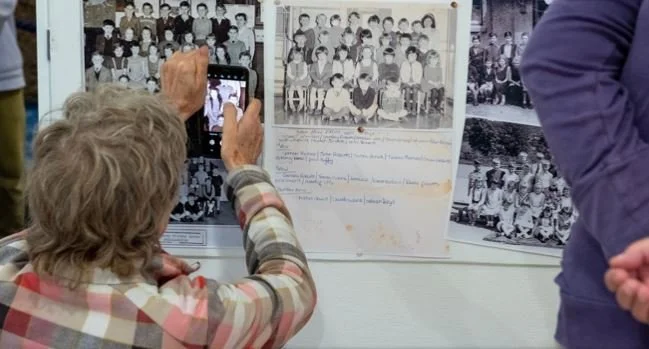
Some of the most valuable local history isn't held in an archive at all. It's in shoeboxes under beds, albums on living room shelves and envelopes of photographs nobody has looked at in years. Wedding photos from the old church, the parade down Main Street, opening night at the local theatre, the corner store before it closed.
Most of this material will never be donated. People want to keep their family photographs and keepsakes, and many don't realise they're part of a bigger story. When a house is cleared, some of that history can disappear for good.
A community scanning day lets people share that history and keep their originals. They bring their photos and documents along, have them scanned while they wait, and take everything home. Whether you run a library, a museum, a historical society, a community archive or a theatre with decades of programmes and playbills, the approach is the same. This guide covers how to plan and run one, how to capture the stories behind each item, and how to keep the collection growing afterwards.
What is a community scanning day?
A community scanning day is an event where members of the public bring historical material to be digitised. Staff or volunteers scan the items, record the stories behind them and return the originals the same day. You may also hear it called a digitization day, a scan-a-thon or a pop-up memory lab. Queens Public Library in New York and the Illinois Heartland Library System's Mobile Memory Lab are two well-established examples.
People typically bring:
Family and community photographs, slides and negatives
Letters, postcards and certificates
Scrapbooks and newspaper cuttings
Programmes, playbills, flyers and tickets from local events and performances
School, church, club and business records
Small objects such as badges, medals and souvenirs, which can be photographed
Just as valuable is what people know about these items: who is in the photo, where it was taken and what happened that day. Names, dates and a personal story turn an interesting image into a historical record.
Example: Caru Dolgarrog
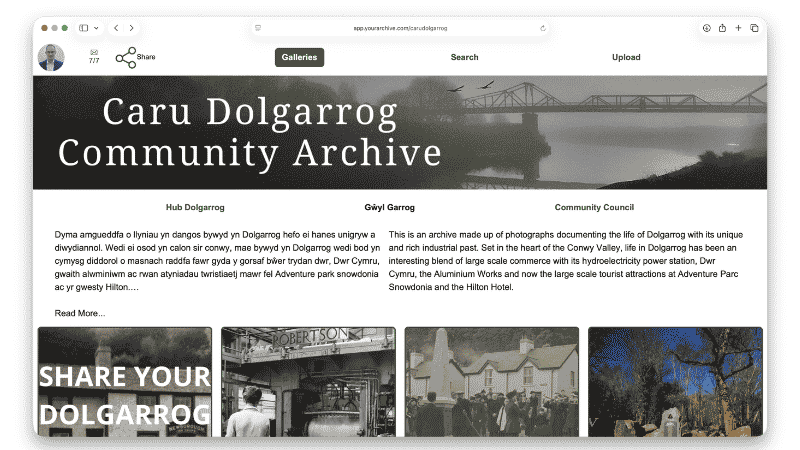
In Dolgarrog, a village in the Conwy Valley in North Wales, the community archive brings together photographs and memories of village life, from the hydroelectric power station and aluminium works to the 1925 dam disaster and the 2009 flood. Alongside a community exhibition, the project held days where residents could bring in photos to be added to the archive.
People could also upload photos directly to the online collection on YourArchive, so former residents and families with roots in the village could contribute from wherever they lived. Combining in-person events with online contributions means more people can add to the collection, including those who left the area decades ago or are unable to visit in person.
Planning your scanning day
Choose a theme
A focused request gets a better response than a general one. Centre the day on a street, a local industry, a school, a sports club, a theatre, an anniversary or a community that is under-represented in your collection. "Help us remember Main Street before 1980" gives people a clear reason to search their albums.Choose a format
Drop-in sessions are welcoming but hard to manage if many people arrive at once. Booked appointments of around 30 minutes give each person proper time, with longer slots for scrapbooks. For a big turnout, combine appointments with a drop-in area where people can browse existing photos and find out how to contribute online.Find partners
Historical societies, genealogy groups, friends' groups, churches, schools, veterans' organisations and civic groups can all bring people through the door, including people who don't follow your communications. A personal invitation from a trusted group is far more effective than a poster.Plan your team
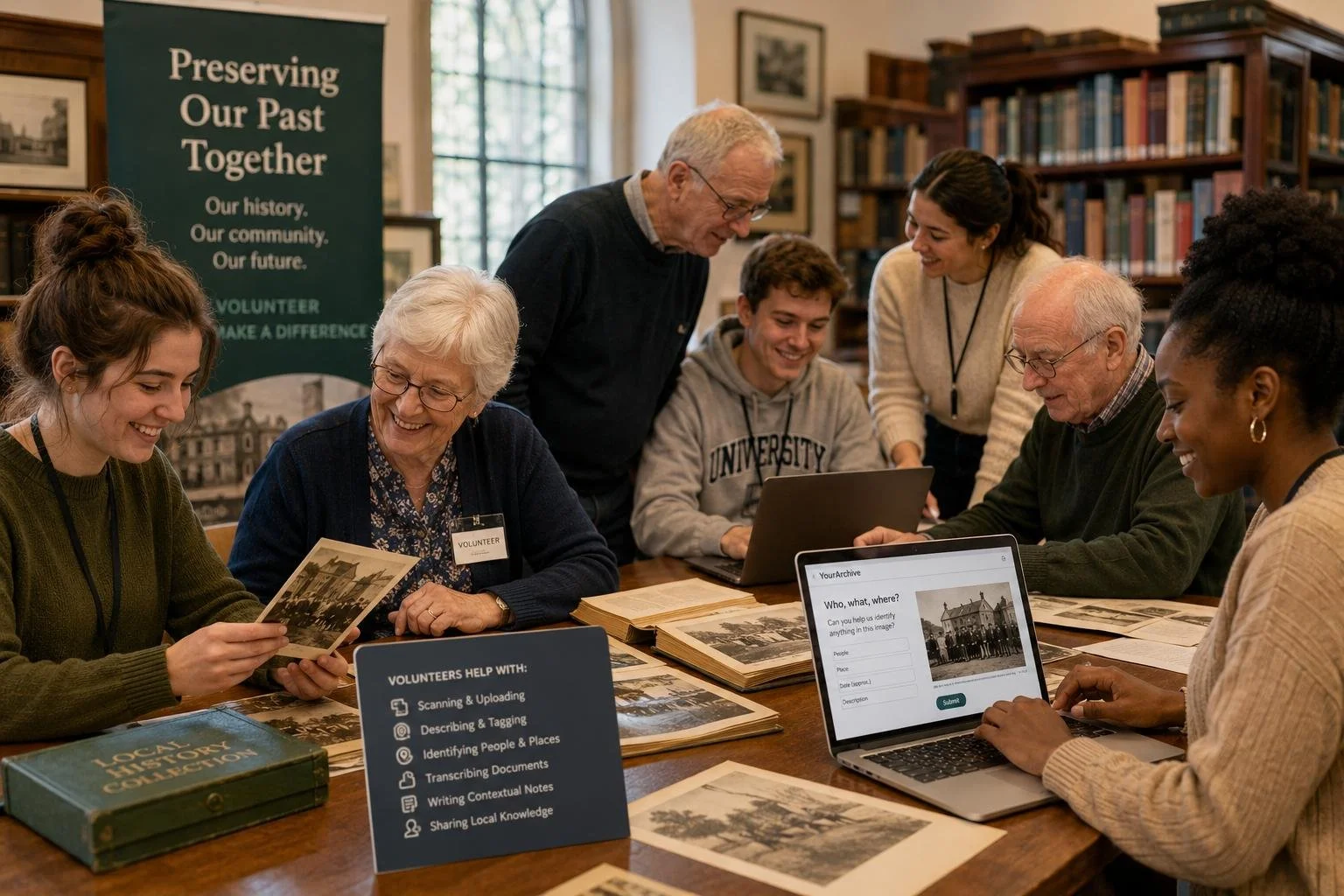
Ideally, each scanning station should have two people: one to handle and scan, and one to talk with the contributor and record the details. Add someone to welcome visitors and manage appointments. Volunteers from local history groups make excellent interviewers because they often recognise people and places.Choose the space and time
A quiet room with tables, power, good light and internet access is ideal, plus a separate quiet corner if you plan to record stories. Weekends and evenings suit working families, and weekday mornings suit retired residents. Think about accessibility and help with carrying larger collections.Decide where the material will go
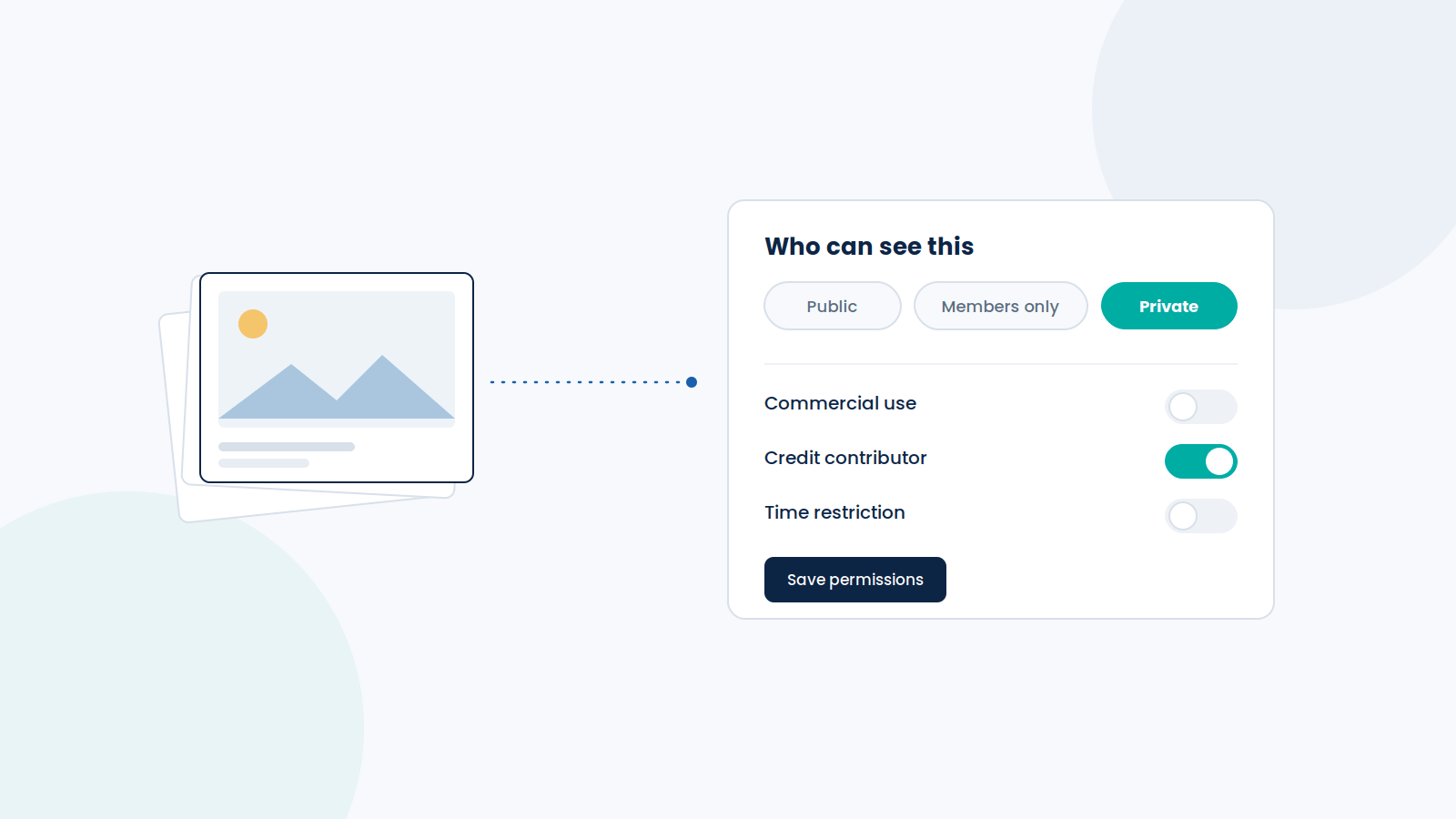
Before the event, decide where the copies will be stored, whether they will be publicly searchable, whether contributors can restrict access and whether people can add information later. The answers shape your permissions, your cataloguing and what you promise contributors.
Equipment and set-up
Most scanning days run on a modest kit list:
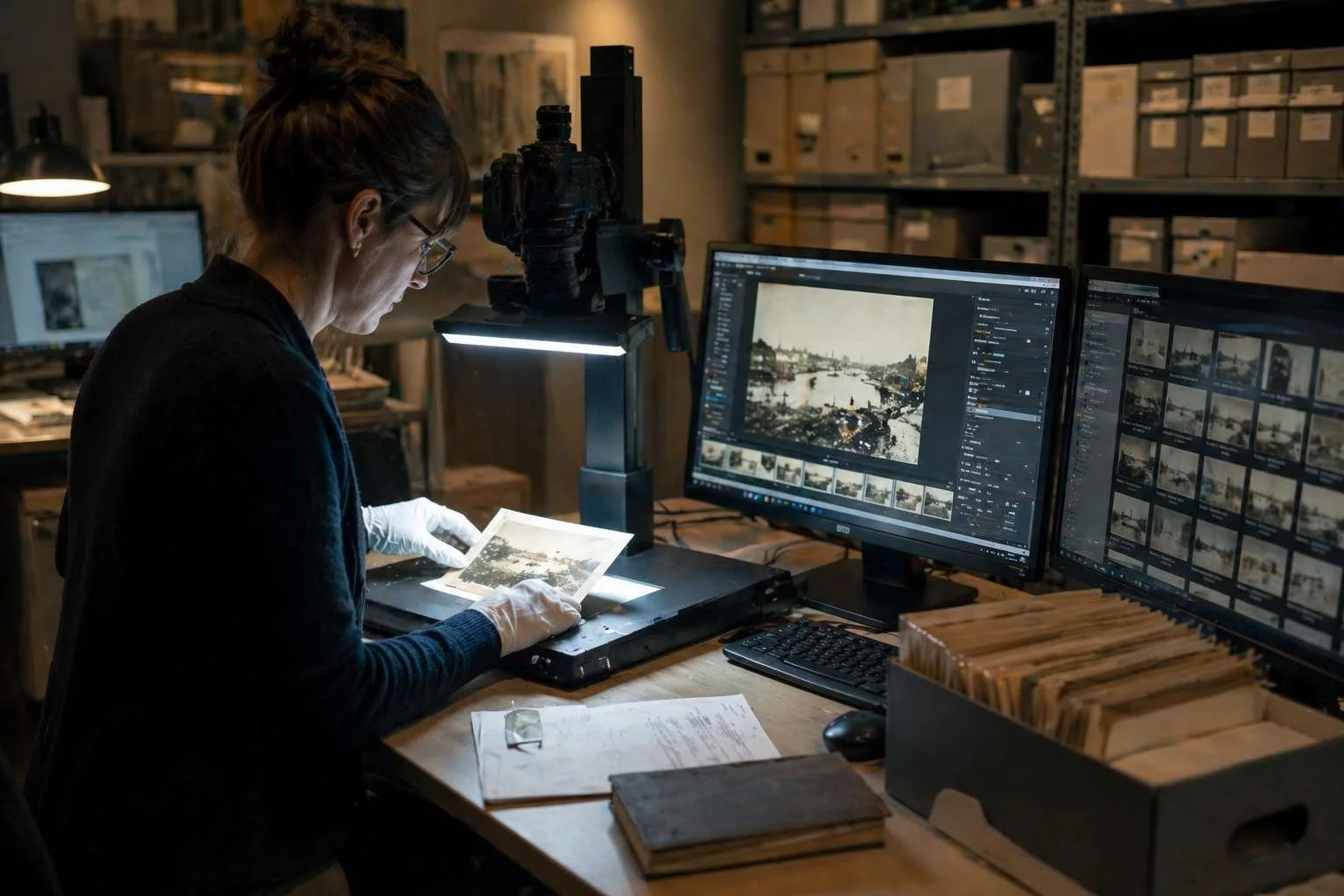
A flatbed scanner for photos and documents, ideally one that also handles slides and negatives
A camera or smartphone on a stand for scrapbooks, large items and objects
A laptop with enough storage, plus an external drive or other secure back-up
Clean work surfaces and handling materials for fragile items
Forms or a digital record for contributor details, descriptions and permissions
For paper, clean dry hands are usually better than cotton gloves, which reduce dexterity, though some photographic materials need gloves. If an item is too fragile or valuable to handle safely, leave it unscanned.
Resolution
For basic access copies, 300 dpi may be sufficient for many documents, while 600 dpi is a useful starting point for photographic prints. Smaller originals, slides and negatives may require higher resolutions. Where possible, retain a high-quality master file, such as an uncompressed TIFF, and create smaller JPEG copies for online viewing.
File naming
Agree a simple pattern, such as 2026-10-22_Contributor015_Item003.tif, that links each scan to its contributor record. Record names, dates and descriptions as searchable details alongside the file.
Protecting the files
Use secure devices, limit access to the team, back up during the event and clear copies from shared computers and memory cards afterwards.
Run a practice session with the full team beforehand to catch problems before visitors arrive.
Getting the word out
Your website, social media, flyers and local press will reach your regular audience. To reach people who don't usually visit, try these too:
Ask partners to invite people personally. A message from a historical society chair, an alumni group, a friends' group or a community leader carries more weight than a poster.
Be specific about what to bring. "Bring your photos of Main Street before 1980" or "Bring your tickets and programmes from the Grand Theatre" works better than a general appeal.
Show an example. A photo or programme from your own collection helps people realise they have something similar at home.
Reach families through younger relatives. Children and grandchildren often encourage older family members to look through their collections and help them come along.
Go where people already are. Festivals, senior centres, faith groups and clubs are all good places to share the date.
If you're running a series of events, share a few discoveries from earlier ones, with permission. Familiar faces and places are one of the best ways to encourage more people to take part.
On the day
-
Welcome
Check people in, explain what happens and offer a coffee.
-
Agree permissions
Explain how the copies will be used and get written consent.
-
Scan and talk
One person scans while another records names, places and stories.
-
Story booth
Visitors record an audio or video memory with Spoken Stories.
Optional -
Copies and next steps
Hand over copies, back up the files and explain where the scans will appear.
Make people feel welcome
Many visitors will never have shared their family photos with an institution, and some worry their material isn't significant enough. A friendly welcome, a clear explanation of what happens and a cup of coffee all help. Enlarged photos or maps from your own collection give people something to talk about while they wait.
Record the story behind each item
Have a volunteer talk with each contributor about what they've brought, and note the details while they are there. Useful questions include:
Who is in this photo, and how do you know them?
Where and when was it taken?
What was happening that day?
Do you remember the people or businesses in the background?
Why have you kept it?
A photo of a shopfront can lead to the family who ran it and how the street has changed. Those details are much harder to recover later.
Plan for more than you can scan
Someone will arrive with three albums and a suitcase of slides. Agree in advance how you'll handle it:
Prioritise together. Ask the owner to pick the ten or fifteen items that matter most and record the stories for those.
Book a follow-up. Offer a second appointment, or a visit from a volunteer for large or fragile collections.
Take items in only with a receipt. If your policy allows you to keep material for scanning later, record every item and agree a return date in writing.
Invite them to upload the rest. If the owner can scan or photograph items at home, they can add them to the online collection themselves.
For larger collections, you may also want to work with a professional digitisation provider. YourArchive offers scanning services for UK-based organisations, alongside the tools to organise, preserve and share the resulting digital collection.
Set up a story booth
Set aside a quiet corner with comfortable chairs, a tablet or laptop. Using YourArchive's Spoken Stories, people can record an audio or video memory that is added to the collection alongside the items they brought.
Use an item as a prompt. Holding a familiar photo or programme makes it easier to start talking.
Keep prompts simple. "What do you remember about this place?" works well.
Aim for two to five minutes. Some stories will deserve longer.
Offer help. A volunteer can get people started, then step back.
Explain permissions. Make sure people know how their recording will be shared.
The booth also gives people with nothing to scan a way to take part. Someone with no photos of the old cinema or factory may still have vivid memories of it.
If the stories turn out to be the heart of your project, the same set-up can grow into a community storytelling or oral history programme, with Spoken Stories used to record longer interviews over time.
Get permissions right
Before scanning or recording, explain how the material will be used and get written agreement. Owning a photo or programme doesn't mean owning its copyright, so your contributor agreement should cover:
Whether the contributor owns the rights or can authorise the uses you propose
Where the material may appear, such as online, in exhibitions or in promotion
How they would like to be credited
Any restrictions on access or use
Privacy, especially where living people can be identified
Permission to record, store and publish audio or video
Requirements vary by country, so have a process for uncertain rights and for requests to remove material. Our guide to consent and permissions in community archives goes into more detail.
Give something back
Offer people copies of their scans, explain how to find the material once it's published, share simple tips on caring for originals, and thank people for their stories as well as their items.
Collecting digital photos, videos and stories
Much recent local history was never printed. Photos from the last 20 years live on phones and in cloud accounts, events are filmed and shared on social media, and posters and newsletters are created digitally. This born-digital material belongs in a community's history too, and it is easily lost when phones are replaced, accounts close or websites disappear.
YourArchive lets people contribute digital photos, videos, documents and audio directly to the collection, wherever they are. Contributions go through a moderation process, so staff or volunteers can check descriptions, permissions and suitability before anything is published. People can also record memories with Spoken Stories from home.
-
At the event
Bring it in
Prints, slides, letters and programmes are scanned while people wait, and the originals go home with them.
-
From anywhere
Upload it online
Digital photos, videos and documents are uploaded directly, then reviewed through moderation before they're published.
-
At the booth or at home
Record a story
Memories are recorded as audio or video with Spoken Stories and kept alongside the photos they relate to.
One shared collection
Everything ends up in one searchable archive that the community can keep exploring and adding to.
This turns a scanning day into the launch of an ongoing collection, open to former residents, families living elsewhere and anyone who couldn't attend in person.
After the event
Plan the follow-up before the day, so the files go somewhere useful and contributors get to see their material online.
Describe the collection
Match each scan with the details recorded on the day: names, places, dates, events, the contributor, related memories and any permissions or restrictions. Gaps are fine, because the community can help fill them.Publish where people can find it
A searchable online collection reaches people who couldn't attend and gives contributors something to share with family and friends. With YourArchive, material can be organised into searchable collections and themed galleries, such as a street, a school, a production season or an anniversary. Let contributors know when their items are live.Invite the community to identify people
Someone may recognise their grandmother behind a shop counter, or a cast member in a production photo. In YourArchive, people can tag those they recognise and add comments and memories to each item. Facial recognition suggests likely matches of the same person across the collection for people to review, and tagged individuals can have personalised galleries bringing together photographs and material in which they appear. Our guide to identifying people in historical photographs explores this in more detail.Keep people contributing
Use the collection for a monthly mystery photo, an exhibition or a new theme each season, and invite people to record memories about photos already online.
Your scanning day checklist
Before
In the weeks leading up
Choose a theme and decide where the collection will live
A specific theme, such as a street or a theatre's past productions, gets a better response.
Book an accessible space and choose appointments or drop-in
Allow around 30 minutes per appointment, and longer for scrapbooks.
Recruit partners and volunteers
Plan two people per scanning station: one to scan, one to listen and take notes.
Prepare equipment, back-ups, file naming and contributor forms
Agree scan settings and a file naming pattern before the day.
Set up a quiet story booth
A quiet corner, a tablet or laptop and a card of prompts.
Promote the event, saying exactly what to bring
Ask partners to invite people personally.
Run a practice session
Scan a few items with the full team to find any bottlenecks.
On the day
At the event
Welcome people and explain the process
Display photos from your own collection to spark conversation.
Get permission before scanning or recording
Cover online use, credit, any restrictions and audio or video recordings.
Record names, places, dates and stories
Ask who is pictured, where and when, and why it was kept.
Back up the files securely
Copy everything to a second drive before you pack up.
Give people copies and explain what happens next
Tell them where and when their scans will appear online.
Afterwards
In the weeks that follow
Describe the files and check permissions
Match each scan to the details recorded on the day.
Publish the material and tell contributors
Seeing their photos online turns contributors into supporters.
Invite people to identify faces, add memories and upload their own material
Tagging and comments fill the gaps in the record.
Share highlights and plan the next event
Familiar faces and places bring more people to the next one.
Bring your community's history together
A community scanning day can bring hundreds of photographs, programmes and personal stories into your collection. But its real value is often what happens afterwards.
A photograph shared online might help identify a forgotten face, prompt someone to record a memory or encourage another family to contribute their own material.
With YourArchive, those contributions become part of a searchable, interactive collection that your community can continue exploring and adding to, long after the scanning day is over.
Planning a community scanning day? Book a demo or get in touch to see how YourArchive can help you collect, organise and share your community's history.
FAQs
What is a community scanning day?
A community scanning day is an event where people bring historical photos, documents and keepsakes to a library, museum or archive to be digitised. Staff or volunteers create digital copies, record the stories behind each item and return the originals the same day, so the community can share its history without giving up family treasures.
How do you organise a community scanning day?
Choose a theme, recruit partners and volunteers, and decide where the digital collection will live. Prepare scanning equipment and contributor permission forms. On the day, record the details behind each item alongside the scan. Afterwards, publish the material in a searchable collection and invite the community to add what they know.
What equipment do you need?
Most scanning days need a flatbed scanner, a laptop, secure storage with a back-up, and a camera or smartphone on a stand for large items, scrapbooks and objects. You also need handling materials and a way to record descriptions and permissions.
What resolution should historical photos be scanned at?
300 dpi is suitable for basic access copies, and 600 dpi is a sensible starting point for photographs. Small photos, slides and negatives need higher resolutions. Keep a high-quality master file and create smaller copies for online viewing.
Do you need copyright permission to publish scanned photos?
Owning a photo or programme does not necessarily mean owning its copyright. Check what rights the contributor holds, consider privacy where living people are shown, and use a contributor agreement that explains clearly how copies will be used and shared.
How do you collect born-digital photos and videos?
Born-digital material, such as phone photos, videos and digital documents, is best collected online. A community archive platform such as YourArchive lets people upload files directly, with a moderation step so staff or volunteers can review, describe and categorise each item before it is published.
Other articles that may be of interest: